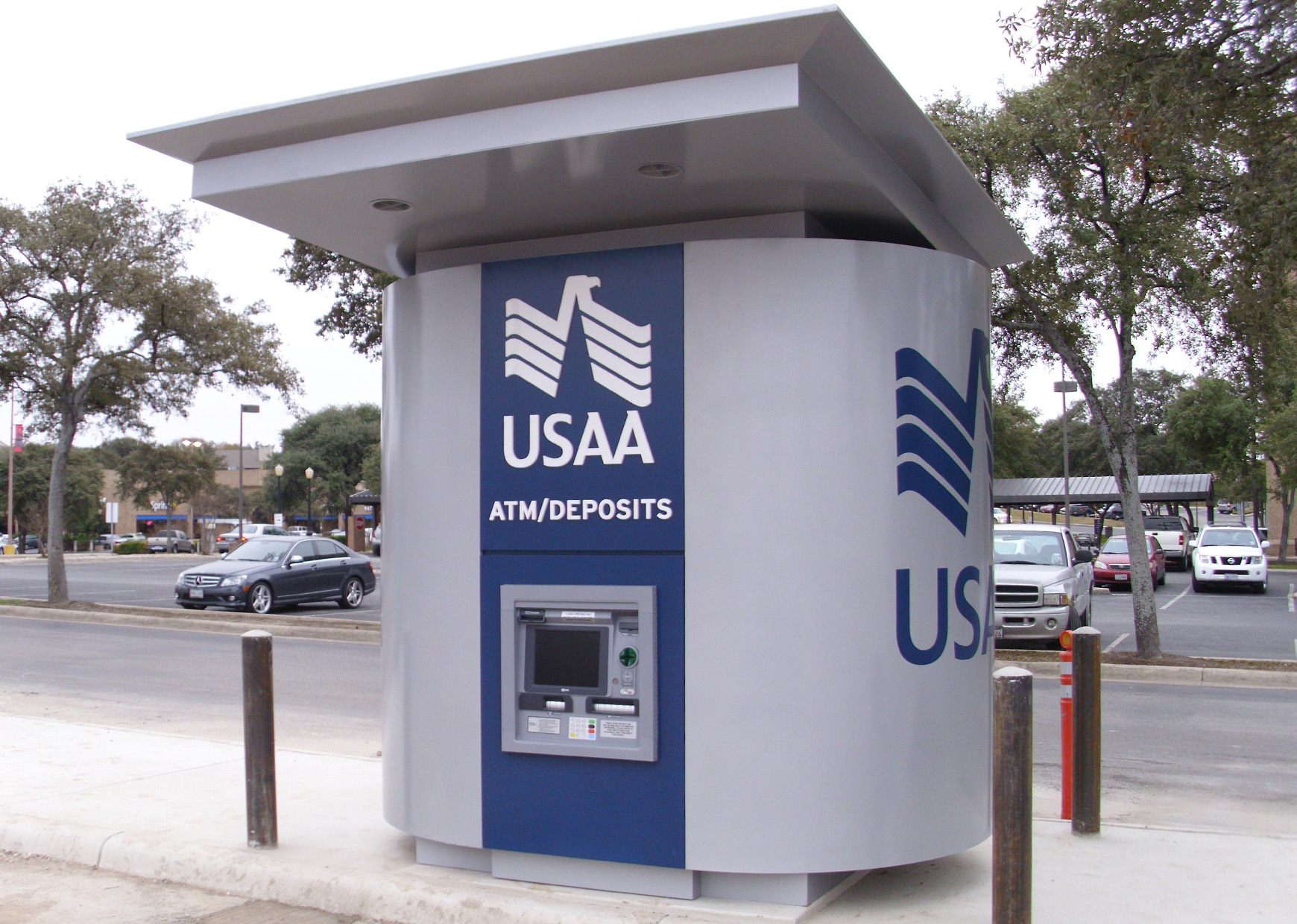
Quick answer: USAA members can use more than 100,000 surcharge-free ATMs through the Allpoint and MoneyPass networks. USAA does not charge its own ATM fee, and it refunds up to $10 per monthly statement cycle for ATM operator surcharges. Cash deposits are only available at select USAA-branded ATMs, not regular Allpoint or MoneyPass machines.
The best way to find the right USAA ATM near you is to use the USAA mobile app or official ATM locator. The app can help you find surcharge-free withdrawal ATMs, USAA-branded machines, and deposit-enabled locations.
USAA ATM Access: What You Need to Know First
USAA does not operate a large traditional branch and ATM network like many national banks. Instead, members use a mix of USAA-branded ATMs, preferred partner ATMs, and regular out-of-network ATMs.
| ATM Type | USAA Fee | ATM Operator Surcharge | Deposits? |
|---|---|---|---|
| USAA-branded ATMs | $0 | $0 | Yes, at deposit-enabled machines |
| USAA-preferred ATMs Allpoint and MoneyPass |
$0 | $0 | No |
| Other ATMs | $0 | Possible surcharge | No |
For the lowest-cost option, use a USAA-preferred ATM through Allpoint or MoneyPass. For deposits, use a USAA-branded deposit-taking ATM.
Find a USAA ATM Near You
The most accurate way to find a nearby USAA ATM is through the USAA mobile app or official USAA ATM locator. This is especially important if you need to deposit cash or checks, because not every ATM that accepts USAA cards accepts deposits.
- USAA Mobile App: Log in, open the menu, and look for ATM locations.
- USAA website: Use the official USAA ATM locator at usaa.com/ATM.
- Allpoint locator: Use allpointnetwork.com to find Allpoint ATMs.
- MoneyPass locator: Use moneypass.com to find MoneyPass ATMs.
If you only need a withdrawal, Allpoint and MoneyPass ATMs are usually the easiest fee-free options. If you need a deposit, filter for USAA-branded deposit-taking ATMs in the USAA app.
Map not loading? Open USAA ATM map in Google Maps.
Where USAA Members Can Find Surcharge-Free ATMs
USAA members can use surcharge-free ATMs through the Allpoint and MoneyPass networks. These machines are commonly found inside major retailers, pharmacies, grocery stores, and convenience stores.
| Retailer or Location | Common Network | Best For |
|---|---|---|
| Walgreens | Allpoint | Fee-free withdrawals |
| CVS | Allpoint | Fee-free withdrawals |
| Target | Allpoint | Fee-free withdrawals |
| 7-Eleven | Allpoint | Fee-free withdrawals |
| Walmart | MoneyPass | Fee-free withdrawals |
| Kroger and affiliates | MoneyPass | Fee-free withdrawals |
| Costco | Allpoint | Fee-free withdrawals |
Retail ATM availability can vary by location. Always confirm the ATM is part of the Allpoint or MoneyPass network before using it if you want to avoid a surcharge.
Can You Deposit Cash at a USAA ATM?
Yes, but only at select USAA-branded deposit-taking ATMs. You generally cannot deposit cash into a USAA account at regular Allpoint, MoneyPass, retail, or third-party ATMs.
To find a USAA ATM that accepts deposits:
- Open the USAA mobile app.
- Log in to your account.
- Open the ATM locator.
- Filter for deposit-taking ATMs.
- Confirm the ATM accepts the type of deposit you need to make.
If there is no USAA deposit-taking ATM nearby, you may need to use mobile check deposit, mail a check, transfer funds from another bank, or use another deposit workaround.
USAA ATM Fees
USAA does not charge its own ATM withdrawal fee in the U.S. However, the ATM owner may still charge a surcharge if the machine is not part of a surcharge-free network.
| Fee Type | What to Expect |
|---|---|
| USAA ATM fee | $0 |
| Allpoint or MoneyPass surcharge | $0 at participating ATMs |
| Other ATM operator surcharge | May apply |
| USAA surcharge reimbursement | Up to $10 per monthly statement cycle for eligible checking accounts |
Learn more in ATM fees explained.
USAA ATM Withdrawal Limits
USAA ATM withdrawal limits can depend on your account, card status, and recent account activity. Many members have a daily ATM withdrawal limit around $1,000, but you should confirm your exact limit in the USAA app or by contacting USAA.
- Your daily ATM withdrawal limit still applies at Allpoint and MoneyPass ATMs.
- ATM owners may have their own per-transaction cash limits.
- You may need multiple withdrawals if the ATM has a lower machine limit.
- USAA may allow temporary limit increases in some situations.
Learn more in ATM withdrawal limits explained.
Common USAA ATM Problems and Fixes
| Problem | What to Do |
|---|---|
| Cannot find a deposit ATM | Use the USAA app and filter for deposit-taking USAA-branded ATMs. |
| ATM charged a surcharge | Confirm whether it was Allpoint or MoneyPass. USAA may reimburse eligible surcharges up to the monthly limit. |
| Card declined | Check your card status, daily limit, and account balance in the USAA app. |
| ATM will not accept a deposit | The machine may not be USAA-branded or deposit-enabled. Use the USAA locator to find the correct ATM. |
| Need more cash than the ATM allows | Try another machine, split withdrawals if allowed, or request a temporary limit increase from USAA. |
| ATM kept your card | Contact USAA immediately and request a replacement card if needed. |
What to Do If You Cannot Find a USAA ATM Nearby
- Search for an Allpoint ATM near you.
- Search for a MoneyPass ATM near you.
- Check nearby Walgreens, CVS, Target, Walmart, 7-Eleven, or Kroger locations.
- Use cash back at a grocery store or pharmacy checkout if available.
- Use another ATM if needed and check whether USAA will reimburse the surcharge.
Related ATM Guides
- Allpoint vs MoneyPass: Which ATM Network Is Better?
- Surcharge-Free ATM Near Me
- ATM Withdrawal Limits Explained
- ATM Fees Explained
- Cardless ATM Near Me
How This Guide Is Maintained
This guide is reviewed and updated to reflect changes in USAA ATM access, partner networks, deposit options, withdrawal limits, and fee policies. ATM locations and network participation can change, so verify details in the USAA app or official ATM locator before making a trip. Last reviewed: May 2026.
Bottom Line
USAA members can withdraw cash at USAA-branded ATMs, Allpoint ATMs, MoneyPass ATMs, and most other U.S. ATMs. For the lowest-cost withdrawal, use Allpoint or MoneyPass. For cash deposits, use a USAA-branded deposit-taking ATM and confirm availability in the USAA mobile app before going.
Frequently Asked Questions
Does USAA charge ATM fees?
USAA does not charge its own ATM withdrawal fee in the U.S. If an ATM operator charges a surcharge, USAA may reimburse eligible checking account holders up to $10 per monthly statement cycle.
What ATM network does USAA use?
USAA uses the Allpoint and MoneyPass networks for surcharge-free ATM access. These ATMs are commonly found at retailers such as Walgreens, CVS, Target, Walmart, 7-Eleven, Kroger, and Costco.
Where can I deposit cash for my USAA account?
You can deposit cash only at select USAA-branded deposit-taking ATMs. You usually cannot deposit cash at regular Allpoint, MoneyPass, retail, or third-party ATMs.
What is the USAA ATM withdrawal limit?
Many USAA members have a daily ATM withdrawal limit around $1,000, but exact limits can vary. Check your USAA app or contact USAA to confirm your current limit.
How do I find a USAA ATM locator?
Open the USAA mobile app and use the ATM locator, or visit the official USAA ATM locator online. Use filters if you need a deposit-taking ATM.
Can I use any ATM with my USAA debit card?
Yes. Your USAA debit card can be used at most U.S. ATMs. For surcharge-free withdrawals, use Allpoint or MoneyPass. For deposits, use a USAA-branded deposit-taking ATM.