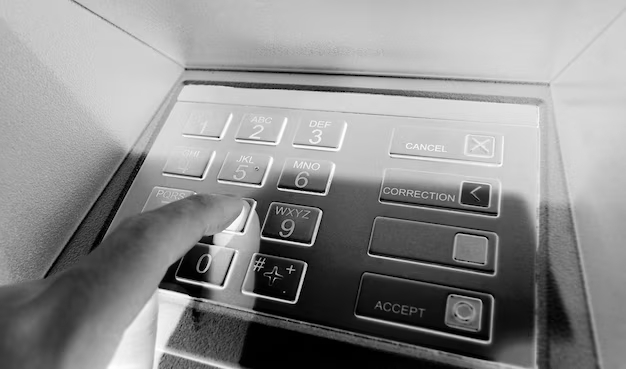
Few things are more frustrating than an ATM withdrawal that fails when you need cash. Maybe the machine says it cannot process your transaction, your card is declined, or your account is charged but no money comes out. The good news is that most ATM withdrawal issues have clear causes and straightforward fixes. This guide walks you through common problems, step-by-step troubleshooting, and when to contact your bank for help.
Common ATM Withdrawal Problems
ATM withdrawal issues usually fall into a few main categories. Knowing which one you are dealing with makes it easier to fix the problem quickly.
- Insufficient funds – Your available balance is lower than the amount you are trying to withdraw.
- Withdrawal limit reached – You have hit your bank’s daily or per-transaction ATM limit.
- Network or system error – The ATM cannot communicate properly with your bank.
- Card problems – Your card is damaged, expired, blocked, or flagged for security reasons.
- ATM machine malfunction – The ATM is out of cash, jammed, or has a hardware issue.
- Security or fraud blocks – Your bank has temporarily restricted ATM use for your protection.
Step-by-Step: How To Troubleshoot ATM Withdrawal Issues
Use these steps in order. In many cases, you can fix the issue on your own without a long call to customer service.
1. Check your balance and available funds
Before assuming the ATM is broken, confirm that you actually have enough money to withdraw.
- Log in to your mobile banking app or online banking.
- Look at your available balance, not just the current balance (holds and pending transactions can reduce what you can spend).
- Try a smaller withdrawal amount if you are close to your limit.
If the ATM charged your account but no cash came out, see our detailed guide on what to do when an ATM charges you but does not dispense cash.
2. Confirm your daily ATM withdrawal limit
Even if you have plenty of money in the account, your bank sets limits on how much cash you can withdraw from ATMs each day. If you go over that limit, the ATM will decline the transaction.
- Check your bank’s ATM limit in your app or online banking.
- Count earlier ATM withdrawals and cash-back transactions from the same day.
- Try withdrawing a smaller amount that is clearly under your daily limit.
For more details, including how limits work by bank, see our guide to ATM withdrawal limits explained and the comparison of ATM withdrawal limits by bank.
3. Watch for specific error messages or codes
Many ATMs show an error message or code when a withdrawal fails. That code is important. It can tell you whether the problem is your card, the network, your account, or the machine itself.
- Write down or take a photo of any error code shown on the screen.
- Save your receipt if the ATM prints one.
- Use our ATM error code directory for plain-language explanations of common codes and what they mean.
If the machine simply says it cannot process the transaction, our guide on why an ATM says it cannot process your transaction walks through the most likely causes.
4. Try a different ATM
If you have checked your balance and limits and the error keeps happening, the issue may be with that specific machine.
- Use an ATM located at a bank branch if possible. These are typically monitored and maintained more often.
- Avoid trying the same broken ATM repeatedly. If it is malfunctioning, repeated attempts can increase the risk of card capture or duplicate charges.
5. Inspect your card and PIN
Cards that are worn, cracked, bent, or expired can cause withdrawal problems. So can a PIN that has been entered incorrectly too many times.
- Check the expiration date on your card.
- Look for visible damage to the chip or magnetic stripe.
- Make sure you are entering the correct PIN and not mixing it up with another card.
- If your card has been declined at multiple ATMs, contact your bank to check whether it has been blocked or restricted for security reasons.
6. Check for security or fraud blocks
Banks use automated systems to detect unusual or risky activity. Sometimes a perfectly legitimate transaction gets caught in those rules and your card is temporarily blocked.
- You recently traveled, used an ATM in a new country, or made several transactions in a short time.
- You entered the wrong PIN multiple times.
- Your bank’s fraud system flagged the location or ATM as higher risk.
If you suspect a security block, call the number on the back of your card. The bank can review recent activity, verify your identity, and remove any holds if everything looks legitimate.
What To Do If Your Account Is Charged But You Did Not Receive Cash
One of the most stressful ATM problems is when your account shows a withdrawal, but the machine did not dispense money or gave you less cash than it should have. This is usually treated as a dispute transaction.
- Immediately check your account balance and recent transactions in your banking app.
- Save your receipt and note the date, time, location, and amount.
- Contact your bank or card issuer as soon as possible to open a dispute.
Your bank will typically review the ATM’s internal logs and cash counts. In many cases, temporary credits are issued while the investigation is completed. For a full walkthrough, see our guides on what to do if an ATM charges you but does not dispense cash and ATM transaction errors and dispute resolution.
Smart Ways To Avoid ATM Withdrawal Problems
You cannot control every ATM glitch, but you can reduce the chances of running into problems by planning ahead and choosing machines wisely.
- Know your bank’s rules – Review your daily ATM limit and any fees before you travel or plan a large withdrawal.
- Use trusted ATMs – Prefer bank-branch ATMs in well-lit, monitored areas over standalone machines.
- Monitor your account – Turn on alerts in your banking app so you see ATM withdrawals and declines right away.
- Keep your card in good condition – Replace damaged or worn cards before they start causing errors.
- Have a backup plan – When possible, keep a second payment method or use cash-back at stores so you are not 100 percent dependent on a single ATM.
If your main concern is avoiding fees rather than fixing errors, our guide to how to withdraw cash without paying ATM fees covers fee-free options and smart alternatives.
When To Call or Visit Your Bank
Contact your bank or credit union right away if any of these apply:
- Your card is captured by the ATM and not returned.
- Your account shows a withdrawal you did not authorize.
- You were charged but received no cash or less cash than requested.
- Multiple ATMs decline your card for unknown reasons.
When you call, have your card handy and be ready to share:
- The date and time of the attempted withdrawal.
- The location of the ATM (bank name, address, or store).
- The amount you tried to withdraw.
- Any error messages or codes shown on the screen or receipt.
Your bank is required to investigate unauthorized transactions and most disputed ATM withdrawals. For additional consumer protection guidance, you can also review resources from the Consumer Financial Protection Bureau.
Key Takeaways
- Most ATM withdrawal issues are caused by insufficient funds, limits, network errors, or card problems.
- Start by checking your balance, confirming your limit, and trying another ATM.
- Write down any error codes and use our ATM error code directory to understand what they mean.
- If your account is charged but you do not receive cash, open a dispute with your bank as soon as possible.
- When issues keep happening, contact your bank or visit a branch so they can check for blocks, holds, or card problems.
